
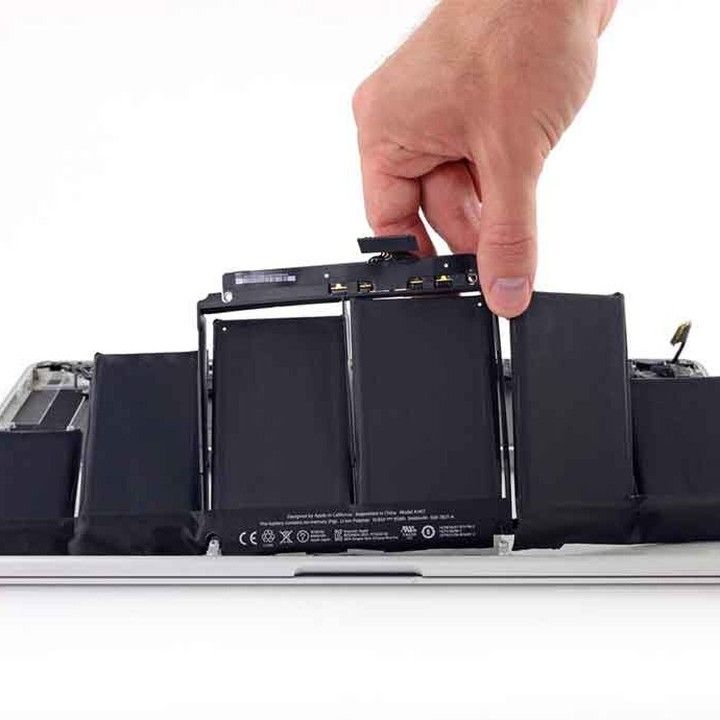
Your MacBook is one of your most reliable tools, whether you use it for work, school, or just everyday browsing. But like all batteries, your MacBook battery won’t last forever. Over time, it loses its ability to hold a charge, and that can cause frustrating issues like sudden shutdowns or short battery life.
In this guide, we’ll walk you through the clear signs your MacBook battery needs replacement, how to check your MacBook battery health, and what you can do to extend its life.
Why MacBook Battery Health Matters
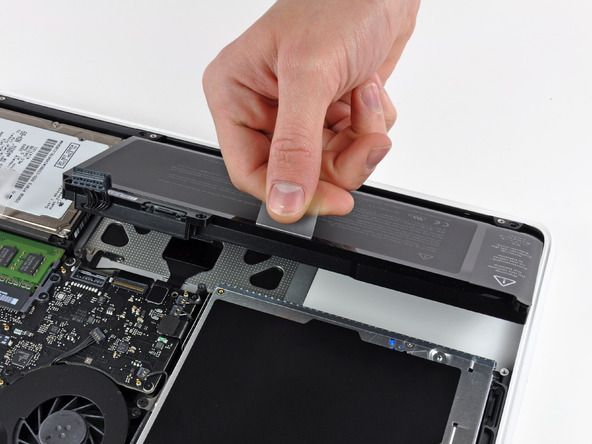
Your MacBook battery is designed to last for years, but every charging cycle slowly wears it down. Ignoring poor battery performance doesn’t just affect convenience—it can put your device at risk of overheating or even swelling, which could damage your laptop.
Knowing when it’s time to replace the battery can save you money and keep your MacBook running smoothly.
Common Signs Your MacBook Battery Needs Replacement
Here are the most common red flags to look out for:
1. Your MacBook Shuts Down Unexpectedly
If your MacBook powers off even when the battery percentage shows plenty of charge, that’s a strong sign the battery is failing.
2. Drastically Shorter Battery Life
Remember when your MacBook could last all day on a single charge? If now it barely makes it a couple of hours, the battery is likely worn out.
3. Slow Charging or Not Charging at All
If charging takes forever or worse, your MacBook won’t charge, it could mean the battery cells are no longer functioning properly.
4. Your MacBook Only Works When Plugged In
This is a clear sign that the battery can’t hold a charge at all and needs to be replaced.
5. Overheating Issues
While MacBooks do get warm, a battery that gets unusually hot is unsafe and may be failing.
6. Swollen Battery
If you notice your trackpad sticking, your case bulging, or the keyboard lifting, stop using your MacBook immediately. A swollen battery can be dangerous.
7. Battery Replacement Alerts
If your MacBook shows a “Replace Soon,” “Replace Now,” or “Service Battery” message in the battery settings, it’s time for a replacement.
How to Check Your MacBook Battery Health
Replacement
Apple makes it easy to see how your battery is doing:
- Click the battery icon in the menu bar.
- Go to Battery Settings → Battery Health.
- Look for the status:
- Normal – Your battery is fine.
- Replace Soon – It’s starting to wear down.
- Normal – Your battery is fine.
Replace Now / Service Battery – You should replace it as soon as possible.
Should You Replace the Battery Yourself?
Some older MacBooks had removable batteries, but most modern models don’t. Replacing them requires special tools and experience.
- DIY Replacement: Risky, may void your warranty, and could damage your device.
- Professional Repair: Safer, often comes with warranty, and ensures your MacBook stays in good condition.
If you’re unsure, always go to an expert repair service.
Tips to Extend Your MacBook Battery Life
Even if your battery is still healthy, these tips will help it last longer:
- Use the original Apple charger.
- Lower your screen brightness.
- Keep your MacBook cool and avoid direct sunlight.
- Disconnect unused accessories.
- Close apps you’re not using.
- Aim to keep your charge between 50–80%.
- Turn off your MacBook when not in use.
Keep your macOS up to date.
FAQs About MacBook Battery Health
- How long does a MacBook battery last?
On average, a MacBook battery lasts about 3–5 years or 1,000 charging cycles, depending on usage. - Is it safe to use a MacBook with a swollen battery?
No. A swollen battery can damage your MacBook and is a safety risk. Stop using it and get it replaced immediately. - How much does a MacBook battery replacement cost?
Prices vary by model, but it typically ranges between $100–$250 for most MacBooks. - Can I use my MacBook while charging?
Yes, it’s safe to use your MacBook while charging. Just avoid keeping it plugged in 24/7. - How do I know if my MacBook needs a battery replacement?
Check the signs: shorter battery life, shutdowns, overheating, or battery health warnings in settings.
FAQs About Techtronics MacBook Repair Services
- Who is Techtronics?
For over 10 years, Techtronics has been the premier MacBook service center in New York City, specializing in repair and data recovery. With thousands of 5-star reviews, we’ve earned our reputation as the best mac repair shop in NYC. Conveniently located to serve customers from the Upper West Side (near Columbia University) to Midtown (near Penn Station and Hudson Yards), we are ready to assist you. - Does Techtronics replace MacBook batteries?
Yes. Techtronics offers professional MacBook battery replacement services using high-quality OEM parts. - Why should I choose Techtronics for MacBook battery replacement?
We provide expert diagnostics, fast turnaround times, and reliable service at affordable rates. - Do I need to book an appointment?
Walk-ins are welcome, but scheduling an appointment ensures faster service. - Where is Techtronics located?
Techtronics has 2 locations in New York City.
- Midtown West 248 W 35th St New York, NY 10001
- Upper West Side 2578 Broadway New York, NY 10025
Final Thoughts
Your MacBook battery won’t last forever, but knowing the signs of failure helps you stay ahead of costly repairs. If you notice sudden shutdowns, overheating, or a swollen battery, don’t wait, get it replaced by a professional.
At Techtronics, we’re here to help you keep your MacBook running like new with expert battery replacement and same day repair services you can trust.
Top-tier Smartphone, Computer, Laptop Repair, and Data Recovery Services in NYC
At Techtronics, we offer professional, reliable, and fast service at competitive prices. Techtronics specializes in all aspects of electronic repair. With certified repair specialists skilled in integrated circuit board repair.
We stand behind our work with a 60-day guarantee. If anything goes wrong, bring it back, and we’ll make it right.
Contacts
Address: 248 W 35th St, New York, NY 10001
Contact: (212) 920-6533
Email: hello@techtronicsmobile.com
Open Hours
Monday-Friday 11AM-7PM
Saturday 11AM-6PM
Sunday 12PM-6PM
Contacts
Address: 2578 Broadway, New York, NY 10025
Contact: (212) 960-8785
Email: hello@techtronicsmobile.com
Open Hours
Monday-Saturday 11AM-7PM, Sunday 12PM-7PM
Contacts
Address: 248 W 35th St, New York, NY 10001
Contact: (212) 920-6533
Email: hello@techtronicsmobile.com
Open Hours
Monday-Friday 11AM-7PM
Saturday 11AM-6PM
Sunday 12PM-6PM
Contacts
Address: 2578 Broadway, New York, NY 10025
Contact: (212) 960-8785
Email: hello@techtronicsmobile.com
Open Hours
Monday-Saturday 11AM-7PM, Sunday 12PM-7PM