
Macbook Cleaning Service
10+
years of experience
1,000+
5 star reviews
220k+
devices fixed
SHARE YOUR CONCERN WITH US
Macbook Cleaning Service
10+
years of experience
1,000+
5 star reviews
220k+
devices fixed
SHARE YOUR CONCERN WITH US
Home – Macbook Cleaning Service
Keep Your MacBook Shining with Techtronics Cleaning Services
Everyone loves a spotless MacBook, free from fingerprints and dust. Dust not only tarnishes your laptop’s appearance but can also impact the performance of its webcam, fan, and keyboard. At Techtronics, we provide expert Apple laptop cleaning services at an affordable price. In addition, we offer a variety of repair and replacement services for mobile devices, tablets, desktops, and gaming consoles. Simply visit our shop or call us, and we’ll take care of the rest.
MacBook Pro Cleaning Service
Dust accumulation inside a MacBook can lead to issues like unexpected shutdowns, reduced performance, or noisy fans. To avoid these problems, ensure your workspace stays clean and perform regular maintenance. While Apple offers DIY kits for cleaning and upgrades, proper care requires careful steps:
- Shut down the laptop.
- Unplug external devices.
- Clean the laptop body.
- Open the laptop.
- Clean the case, battery, and fan.
Important Tip: Avoid using liquids, aerosol sprays, or hydrogen peroxide, as they can damage your device. Use a lint-free cloth instead of towels or paper towels. For professional cleaning, trust Techtronics to handle it for you.
MacBook Fan Cleaning Service
Your MacBook’s fan plays a crucial role in maintaining airflow and preventing overheating. Dust accumulation can stop the fan from spinning, leading to processor issues. Here’s what you can do:
- Increase fan speed temporarily using Fan Control Settings.
- Open the case and clean the fan thoroughly.
If these steps don’t resolve the issue, bring your device to Techtronics. We’ll clean the fan quickly and effectively.
MacBook Keyboard Cleaning Service
A clean keyboard ensures smooth typing and reduces exposure to harmful pathogens. Dust can settle deep into the keys over time, impacting performance. To clean your MacBook keyboard:
- Turn off the laptop.
- Unplug adapters and accessories.
- Hold the laptop at a 75-degree angle and spray compressed air onto the keyboard.
- Rotate the laptop and repeat the process.
Affordable MacBook Cleaning Services
Techtronics provides cleaning services for all MacBook Pro and MacBook Air models. Cleaning costs depend on the model and the effort required, but we always offer competitive pricing. Plus, our initial diagnosis, consultation, and price estimates are completely free.
MacBook Cleaning Service – Midtown West NYC (Penn Station, Times Square, Hudson Yards)
Looking for a MacBook cleaning service near Midtown Manhattan? Techtronics offers professional MacBook internal and external cleaning just steps from Penn Station, Times Square, and Hudson Yards. Whether your MacBook is overheating, making loud fan noises, or gathering dust in the vents and ports, our Midtown West technicians can help.
We service all MacBook models—MacBook Air, MacBook Pro (Intel, M1, M2)—and perform same-day cleanings to restore cooling and performance. Our Midtown location is convenient for commuters, office workers, and students near 34th Street, Herald Square, and Bryant Park.
Services available at Midtown West:
- Internal fan and heatsink cleaning
- Thermal paste refresh for CPUs
- Dust, smoke, and pet hair removal
- Port and keyboard cleaning
- Deep cleaning for water-damaged devices
Visit us at our Midtown shop:
Techtronics – MacBook Cleaning Midtown NYC
Located near 34th Street Penn Station, Times Square & Hudson Yards
Book your cleaning now: techtronicsmobile.com/appointments
MacBook Cleaning Service – Upper West Side NYC (Columbia University, Central Park West)
Techtronics provides expert MacBook cleaning service on the Upper West Side, just minutes from Columbia University, Central Park West, and Riverside Park. Whether you’re a student, professional, or remote worker, our local team delivers fast and affordable MacBook deep cleaning near you.
MacBooks collect dust, crumbs, and grime over time—especially in vents, keyboards, and fans. We’ll open your MacBook, clean it internally, and restore it to like-new cooling and performance. Our Upper West Side techs specialize in removing debris from fans and ports to prevent overheating and sluggish performance.
Services available at Upper West Side:
- Fan and vent cleaning for MacBook Pro and Air
- Deep keyboard and port sanitation
- Smoke and pet hair buildup removal
- Thermal paste replacement for better cooling
- Water damage corrosion cleanup
Visit us on the Upper West Side:
Techtronics – MacBook Cleaning Upper West Side NYC
Near Columbia University, Central Park West & 96th Street
Schedule your cleaning today: techtronicsmobile.com/appointments
MacBook Cleaning Service FAQ – Techtronics NYC
What is a MacBook cleaning service?
A MacBook cleaning service involves the professional cleaning of internal and external components to remove dust, debris, and buildup that can affect performance, cooling, and longevity. This includes fan cleaning, thermal paste replacement, port cleaning, and keyboard sanitization.
How often should I get my MacBook cleaned?
For most users, professional cleaning every 12–18 months is recommended. If you’re a pet owner, smoker, or frequently use your MacBook in dusty environments, cleaning every 6–12 months is ideal.
What are the signs my MacBook needs cleaning?
Common signs include overheating, fan noise, performance drops, sticky keys, and ports that don’t function properly due to debris. If your MacBook runs hot or slow, it may need internal cleaning.
Will a MacBook cleaning service make my laptop faster?
Yes—cleaning helps remove dust from fans and internal components, which improves thermal performance. This allows your MacBook to run cooler and maintain its performance, especially under load.
Does cleaning my MacBook void the warranty?
If done professionally by a trusted service provider, cleaning does not void your warranty. However, DIY cleaning that damages components may cause warranty issues.
Is MacBook keyboard cleaning included in the service?
Yes, a full MacBook cleaning service usually includes deep keyboard cleaning. This helps remove debris, dust, and sticky residue between keys, improving responsiveness.
How long does a MacBook cleaning service take?
Most cleanings can be completed within 1–2 hours. For deep internal cleanings that involve disassembly and thermal paste replacement, expect 3–4 hours.
Can you clean a MacBook with water damage?
Yes, cleaning is a crucial part of water damage treatment. Technicians will open the MacBook, clean corrosion and residue using alcohol or ultrasonic tools, and dry components to minimize further damage.
Do you offer same-day MacBook cleaning service in NYC?
Yes, we offer same-day MacBook cleaning service at both our Midtown Manhattan and Upper West Side locations, subject to availability. Walk-ins and appointments are welcome.
Can you clean my MacBook if it has pet hair or smoke residue inside?
Absolutely. We specialize in deep cleaning MacBooks used by pet owners and smokers. Pet dander and smoke tar buildup can be safely removed to restore airflow and prevent overheating.
How much does a professional MacBook cleaning cost?
Prices range from $65 and up depending on the model and the level of cleaning needed. We’ll provide a full diagnostic and estimate before starting.
Do you clean MacBook Air and MacBook Pro models?
Yes, we clean all MacBook models—including MacBook Air, MacBook Pro (Intel and M1/M2), and older unibody models. Each is serviced with tools and procedures specific to that model.
What cleaning tools do you use?
We use anti-static brushes, compressed air, microfiber cloths, thermal paste for CPU refreshes, isopropyl alcohol, and ESD-safe vacuum tools. Our methods are safe and industry standard.
Can MacBook cleaning prevent overheating?
Yes. By removing clogged dust from fans and heat sinks, your MacBook will cool more efficiently, preventing thermal throttling and crashes during high-performance tasks.
Will I lose any data during a cleaning service?
No. Cleaning does not affect your MacBook’s storage or files. However, we recommend backing up important data before service as a precaution.
Is it safe to clean the MacBook fans and vents myself?
Surface-level cleaning with compressed air may be safe, but internal fan and heatsink cleaning requires disassembly. Professional service is recommended to avoid damage.
Do you provide MacBook cleaning near Times Square and Penn Station?
Yes, we offer expert MacBook cleaning service near 34th Street Penn Station, Times Square, and Hudson Yards at our Midtown Manhattan location.
Where can I get my MacBook cleaned near Columbia University?
Our Upper West Side location provides fast and affordable MacBook cleaning just steps from Columbia University and Central Park West.
What’s included in a deep cleaning vs. standard cleaning?
Standard cleaning includes external surface wipe-down and fan dusting. Deep cleaning includes full internal disassembly, fan and board cleaning, thermal paste replacement, and keyboard/port maintenance.
How do I book a MacBook cleaning service?
You can schedule an appointment online at www.techtronicsmobile.com/appointments or visit us in Midtown or the Upper West Side for walk-in service.
Why Choose Techtronics?
- Over 1,000 5-Star Reviews
- Most Parts In Stock
- Same-Day Service
- 10+ Years of Experience
- Licensed and Certified
- OEM Parts
- Manufacturer Warranty
- Convenient Locations
Bottom line?
We get the job done right, fast, and professionally. Techtronics is where people who value their devices—and their time—go for repairs.
Our 60-Day Guarantee
All repairs performed by Techtronics come with a 60-day guarantee for parts and labor. If any issue arises, simply bring your device back, and we’ll make it right. For full details, refer to our Terms & Conditions.
How would you like to submit it?

About Techtronics
Premier Electronics Repair Services in NYC
Techtronics offers efficient and effective troubleshooting and repair services for computers, smartphones, and professional audio equipment at affordable prices. With a custom-designed online tracking system and fast turnaround times, we consistently exceed our customers’ expectations. Our full range of services includes in-home and on-site business support, such as wireless networking, network printer setup, and on-site computer assistance throughout the NYC area.
Why Choose Repair Over Replacement?
Repairs are not only less costly than replacing your devices, but they’re also better for the environment and save you time, no need to reinstall software or migrate important files. Disposing of easily repairable electronics prematurely adds unnecessary toxic waste to landfills. Go green and save money by choosing Techtronics to repair your electronics!
DIAGNOSTICS
To correctly estimate the time and complexity of the repair
AGREED DETAILS
We coordinate the details with the client and discuss the risks
REPAIR
We carry out high-quality repairs according to thecustomer
SHARE YOUR CONCERN WITH US
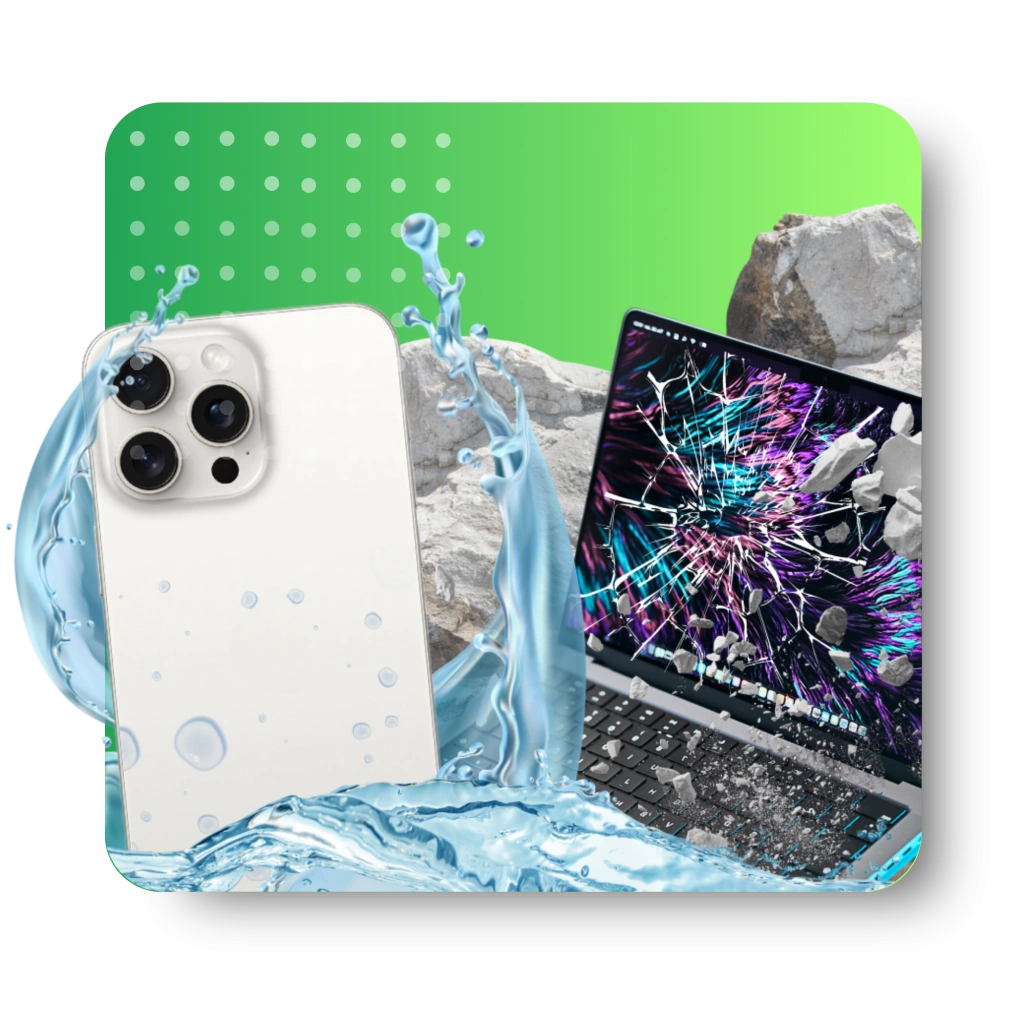
Top-tier Smartphone, Computer, Laptop Repair, and Data Recovery Services in NYC
At Techtronics, we offer professional, reliable, and fast service at competitive prices. Techtronics specializes in all aspects of electronic repair. With certified repair specialists skilled in integrated circuit board repair.
We stand behind our work with a 60-day guarantee. If anything goes wrong, bring it back, and we’ll make it right.
CONTACT US!
SHARE YOUR CONCERN WITH US
Contacts
Trains Nearby:
- F,B,D,M,Q,N,R,W @ 34 St- Herald Sq
- 1,2,3,A,C,E @ 34 St- Penn Station
- N,Q,R,W,7 @ Times Sq- 42 St
- A,C,E,1,2,3 @ 42 St- Port Authority Bus Terminal
- 7 @ 34th St-Hudson Yards
Address: 248 W 35th St, New York, NY 10001
Contact: (212) 920-6533
Email: hello@techtronicsmobile.com
Open Hours
Monday-Friday 11AM-7PM
Saturday 11AM-6PM
Sunday 12PM-6PM
Contacts
Trains Nearby:
- C,B @ 96 St
- 1,2,3 @ 96 St
- C,B @ 103 St
- 1 @ 103 St
Address: 2578 Broadway, New York, NY 10025
Contact: (212) 960-8785
Email: hello@techtronicsmobile.com
Open Hours
Monday-Saturday 11AM-7PM
Sunday 12PM-7PM
Contacts
Address: 248 W 35th St, New York, NY 10001
Contact: (212) 920-6533
Email: hello@techtronicsmobile.com
Open Hours
Monday-Friday 11AM-7PM
Saturday 11AM-6PM
Sunday 12PM-6PM
Trains Nearby:
- F,B,D,M,Q,N,R,W @ 34 St- Herald Sq
- 1,2,3,A,C,E @ 34 St- Penn Station
- N,Q,R,W,7 @ Times Sq- 42 St
- A,C,E,1,2,3 @ 42 St- Port Authority Bus Terminal
- 7 @ 34th St-Hudson Yards
Contacts
Address: 2578 Broadway, New York, NY 10025
Contact: (212) 960-8785
Email: hello@techtronicsmobile.com
Monday-Saturday 11AM-7PM
Sunday 12PM-7PM
Trains Nearby:
- C,B @ 96 St
- 1,2,3 @ 96 St
- C,B @ 103 St
- 1 @ 103 St