
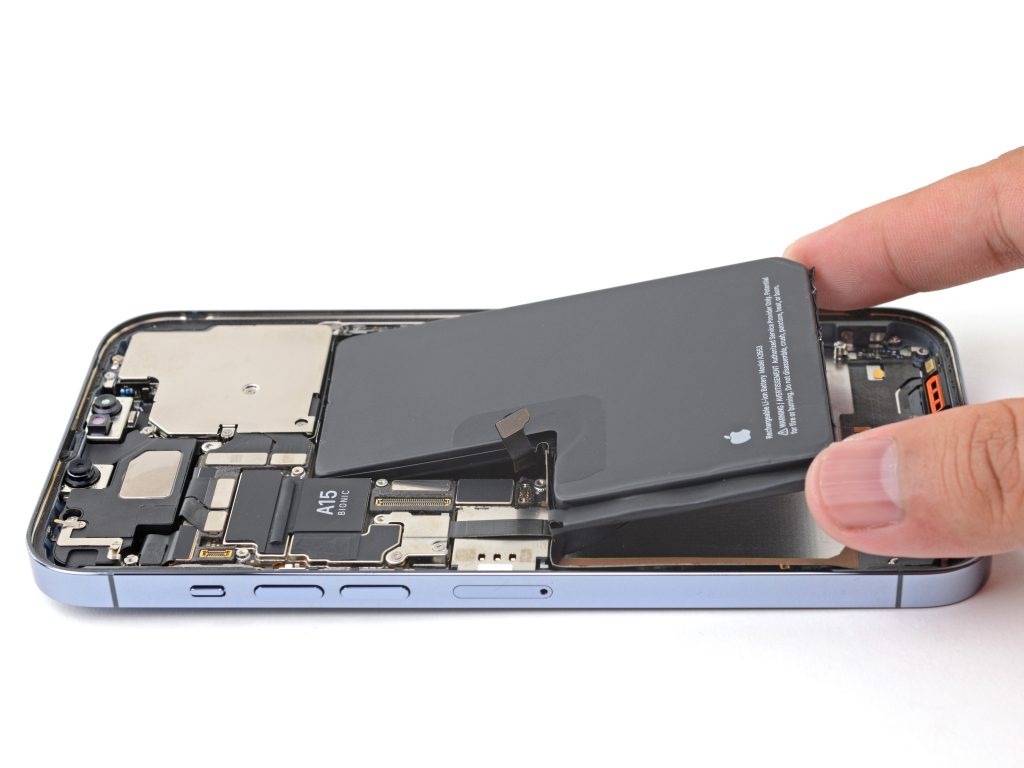
How to Fix Rapid Battery Drain or “iPhone Battery Health Too Low” iPhone Battery Health
Is your iPhone’s battery draining faster than you can charge it? Or maybe you’ve seen the dreaded “iPhone battery health too low” warning in your settings? You’re not alone. Battery issues are one of the most common frustrations for iPhone users — and thankfully, there are ways to fix them.
In this guide, we’ll explain why your iPhone battery might be draining rapidly, what “battery health too low” means, and how to improve battery life (and when to replace it).
Understanding iPhone Battery HealthUnderstanding iPhone Battery Health
Your iPhone battery has a maximum capacity measured in percentage. When you buy it new, it’s at 100%. Over time, the battery chemically ages and holds less charge. Once it drops to around 80% or lower, you might notice rapid drain, slower performance, or unexpected shutdowns.
The “Battery Health Too Low” message usually means:
- Your battery’s maximum capacity is significantly reduced.
- iOS detects that the battery can’t support peak performance.
- You may need a replacement soon for optimal usage.
Why Your iPhone Battery Drains Quickly
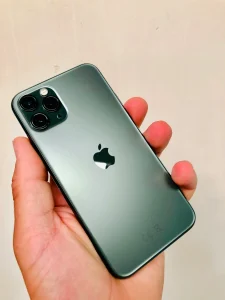
A few common reasons include:
- Battery Age – Old batteries lose capacity naturally over time.
- High Background Activity – Too many apps running or refreshing in the background.
- Screen Brightness & Usage – High brightness and long screen-on time consume power.
- Poor Signal Area – Your iPhone works harder to find a signal, draining battery faster.
- iOS Bugs or Outdated Software – Sometimes, a simple update fixes excessive drain.
How to Fix Rapid Battery Drain iPhone Battery Health
Here are the most effective steps to extend your battery life and fix fast draining:
1. Check Battery Usage
Go to Settings > Battery to see which apps use the most power. Close or delete the ones you don’t need.
2. Lower Screen Brightness & Use Auto-Brightness
High brightness is a battery killer. Turn on Auto-Brightness in Settings > Accessibility > Display & Text Size.
3. Disable Background App Refresh
Go to Settings > General > Background App Refresh and turn it off for apps you don’t use often.
4. Enable Low Power Mode
This reduces background activity, mail fetch, and visual effects. Turn it on in Settings > Battery.
5. Update iOS
Apple often releases fixes for battery drain. Go to Settings > General > Software Update.
6. Avoid Extreme Temperatures
Heat speeds up battery aging. Don’t leave your iPhone in hot cars or under direct sunlight.
7. Reset Settings (Last Resort)
If nothing works, go to Settings > General > Transfer or Reset iPhone > Reset > Reset All Settings.
This won’t delete data but will reset preferences.
When to Replace Your iPhone Battery
If your Battery Health is below 80% and you notice lag, overheating, or shutdowns, it’s time for a replacement.
At this point, no software trick will fully restore performance — you need a battery swap.
Pro Tip: Replacing your battery can make your iPhone feel brand new again.
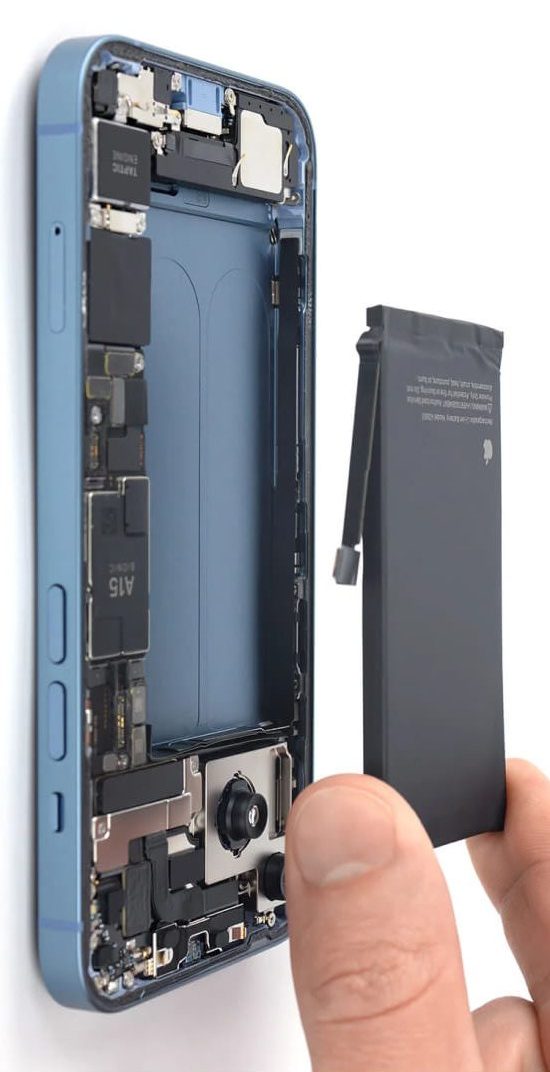
Why Choose Techtronics for iPhone Battery Repair
At Techtronics, we specialize in fast and reliable iPhone battery replacement in NYC.
Here’s why customers choose us:
- Same-day service for most iPhone models.
- High-quality batteries with warranty.
- Expert technicians with years of experience.
- Two NYC locations for your convenience.
- Open 7 days a week — no long waits.
FAQs About iPhone Battery Health
What does “iPhone battery health too low” mean?
It means your battery capacity has degraded to the point where performance is affected. It may need replacing.
Can I fix low battery health without replacing the battery?
You can slow further decline by changing habits, but you can’t restore lost capacity without a replacement.
How long does an iPhone battery last?
On average, 2–3 years before noticeable decline, depending on usage.
Is it safe to use my iPhone with low battery health?
Yes, but you may experience more shutdowns and slower performance.
How much does it cost to replace a battery in an iPhone?
The cost of an iPhone battery replacement will depend on the exact model. iPhone battery replacements ranges from $59 for older models to $99+. Please contact us for a quote.
FAQs About Techtronics
Where is Techtronics located?
We have two locations in New York City with easy access to Midtown West (minutes from Penn Station, Time Square, and Hudson Yards as well as on the Upper West Side near Columbia University.
How long does iPhone battery replacement take?
Most replacements are done the same day, often within an hour.
Do you use original Apple batteries?
We have options for both Original Apple Batteries as well as high-quality OEM batteries that meet Apple’s performance standards.
Are you open on weekends?
Yes! We’re open 7 days a week.
If your iPhone is draining fast or showing “battery health too low”, don’t wait until it completely dies. Visit Techtronics for a quick, professional battery replacement and get your phone’s life back.
iPhone Battery Replacement in NYC – Techtronics
If you’re in New York City and your iPhone battery drains too fast or shows the “battery health too low” warning, Techtronics has you covered. We provide same-day iPhone battery replacement in NYC for all major models — from the iPhone 6 to the latest iPhone 15 series.
Whether you’re in Manhattan, Brooklyn, Queens, or nearby areas, you can visit one of our two NYC locations for fast, reliable, and affordable repairs. Come check us out at our midtown location near Penn Station, Hudson Yards, Chelsea, and blocks away from Time Square or our Upper West Side Location near Columbia University and Central Park West on Broadway and 97th street. Our technicians only use high-quality batteries that meet Apple’s performance standards, so you get maximum life and performance.
Why NYC Customers Love Techtronics:
- Convenient NYC locations with easy access by subway or bus
- Open 7 days a week for your busy schedule
- Most repairs done within an hour
- Friendly and experienced technicians with over 10 years in in the field
- Competitive pricing with a warranty on battery replacements
Top-tier Smartphone, Computer, Laptop Repair, and Data Recovery Services in NYC
At Techtronics, we offer professional, reliable, and fast service at competitive prices. Techtronics specializes in all aspects of electronic repair. With certified repair specialists skilled in integrated circuit board repair.
We stand behind our work with a 60-day guarantee. If anything goes wrong, bring it back, and we’ll make it right.
Contacts
Address: 248 W 35th St, New York, NY 10001
Contact: (212) 920-6533
Email: hello@techtronicsmobile.com
Open Hours
Monday-Friday 11AM-7PM
Saturday 11AM-6PM
Sunday 12PM-6PM
Contacts
Address: 2578 Broadway, New York, NY 10025
Contact: (212) 960-8785
Email: hello@techtronicsmobile.com
Open Hours
Monday-Saturday 11AM-7PM, Sunday 12PM-7PM
Contacts
Address: 248 W 35th St, New York, NY 10001
Contact: (212) 920-6533
Email: hello@techtronicsmobile.com
Open Hours
Monday-Friday 11AM-7PM
Saturday 11AM-6PM
Sunday 12PM-6PM
Contacts
Address: 2578 Broadway, New York, NY 10025
Contact: (212) 960-8785
Email: hello@techtronicsmobile.com
Open Hours
Monday-Saturday 11AM-7PM, Sunday 12PM-7PM